A Complete Guide to MechanicX: Mastering Your UK Workshop Management in 2026
8 September 2026 · 17 min read
Written by Daniel Staples — Director, MechanicX. Workshop operator and developer of MechanicX garage management software.

You've just finished a ten-hour shift under the bonnet, but your day is far from over. Instead of heading home, you're hunched over a desk, wrestling with paper job cards and trying to remember which parts you used on that Transit. It's a frustrating, exhausting way to run a business. This Complete guide to MechanicX shows you there's a better way to manage your workshop in 2026. You don't need to lose your evenings to invoicing or worry about missing a customer's MOT date because of a messy paper diary.
We know you value tools that actually work, not tech that gets in the way. You likely feel that your workshop deserves the same precision as the engines you repair. We promise that by the end of this guide, you'll know how to centralise your diary, automate vital MOT reminders, and finally ditch the paperwork for good. We'll preview how the latest v2026.09.06.0819 updates and seamless NAPA Part360 and Xero integrations keep your shop floor in perfect sync. It's time to get back to the work you actually enjoy.
Key Takeaways
- This Complete guide to MechanicX explains how to transform your workshop into a streamlined, digital operation using cloud-based management tools.
- Learn how to reclaim your evenings by using digital job cards and instant vehicle registration lookups to eliminate manual data entry.
- Discover how to speed up your cash flow with professional invoicing and seamless Dojo payment integrations for use on the shop floor or in the van.
- See how automated SMS MOT reminders and NAPA Part360 integration can drive repeat business and simplify parts ordering.
- Understand the practical steps to move from paper to digital in a single afternoon and calculate the significant time-saving ROI for your garage.
Table of Contents
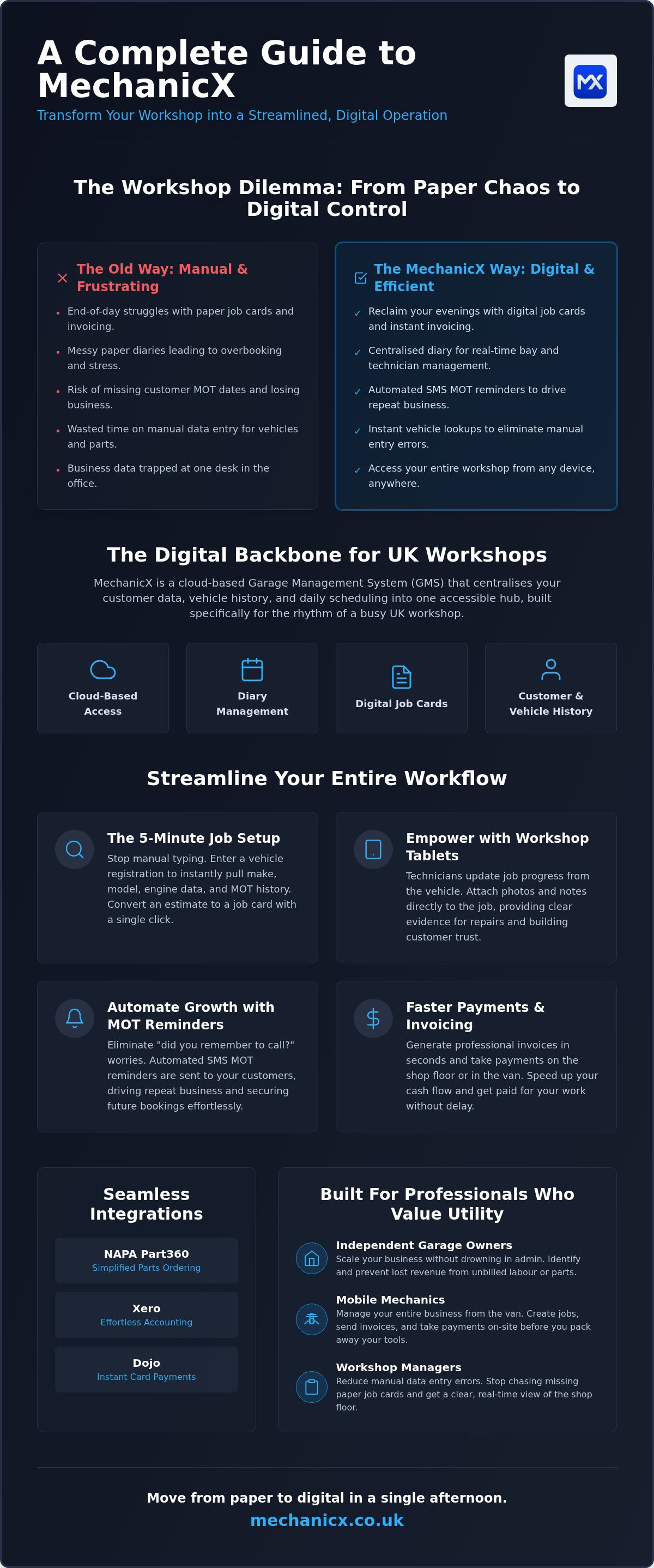
- What is MechanicX? The Digital Backbone for UK Workshops
- Streamlining the Shop Floor: Digital Job Cards and Diary Management
- Beyond the Spanner: Invoicing, Payments, and Accounting Integrations
- Automating Growth: MOT Reminders and Parts Sourcing
- Making the Switch: Implementation and Your Workshop’s ROI
What is MechanicX? The Digital Backbone for UK Workshops
MechanicX isn't just another software package; it's a cloud-based garage management system (GMS) built specifically for the UK market. If you've spent years relying on a dog-eared paper diary or a whiteboard that someone accidentally wiped, this tool changes the game. It centralises your customer data, vehicle history, and daily scheduling into one accessible hub. Think of it as the digital backbone of your business. This Complete guide to MechanicX will show you how it replaces manual spreadsheets with a system that actually understands the rhythm of a busy workshop.
Managing a modern garage requires more than just mechanical skill. You're juggling parts orders, customer expectations, and strict MOT deadlines. While it shares some functional DNA with broader fleet management software, MechanicX is laser-focused on the needs of independent repairers. It doesn't just track costs; it manages the entire lifecycle of a job from the first phone call to the final payment. By moving your records online, you eliminate the physical clutter that slows you down.
Cloud-Based vs Traditional Software
Traditional software often traps you at a desk. You're forced to deal with expensive on-premise servers and complex installations that break the moment you update your computer. MechanicX is different. Because it's cloud-based, you can access your workshop data from any phone, tablet, or desktop device. There's no bulky hardware to install and no IT degree required to get started. Real-time updates ensure your team stays synchronised across the shop floor. If a technician finishes a job card on a workshop tablet, the office sees it instantly. This flow keeps everyone on the same page without a single shout across the workshop.
Who is MechanicX For?
Whether you're running a four-ramp independent garage or operating as a solo mobile mechanic, the system scales to fit your specific needs. It's built for professionals who value utility over aesthetics.
- Independent Garage Owners: It's for those looking to scale their business without drowning in admin. It helps you identify administrative "leakage" where labour hours or parts aren't being billed correctly.
- Mobile Mechanics: You can manage your entire business from the front seat of your van. Generate professional invoices and job sheets on your phone before you've even packed away your tools.
- Workshop Managers: It's the ideal tool for reducing manual data entry errors. You'll no longer have to squint at greasy handwriting or chase missing paper job cards at the end of a ten-hour shift.
By removing these daily obstacles, you reclaim control over your time. You stop being an administrator who happens to fix cars and start being a workshop owner with a streamlined, profitable operation.
Streamlining the Shop Floor: Digital Job Cards and Diary Management
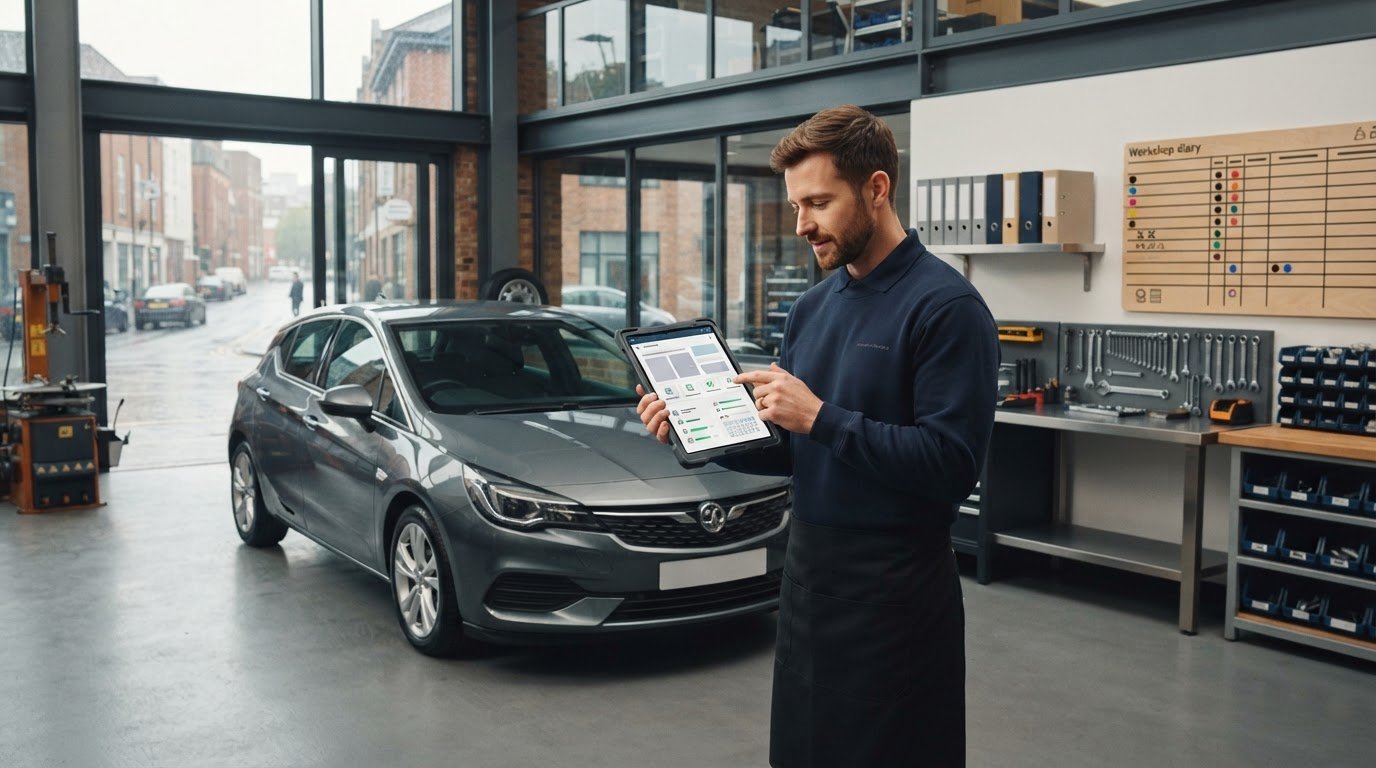
A paper diary is a liability in a modern garage. It’s easy to misplace, hard to read, and impossible to share between the office and the workshop floor. MechanicX replaces this chaos with a centralised digital system that manages your bay capacity in real time. You can see exactly what’s on each ramp and which jobs are running over without leaving your desk. This Complete guide to MechanicX highlights how total visibility prevents the stress of overbooking and ensures your team stays productive. By organising your workflow digitally, you stop reacting to problems and start managing your day.
The 5-Minute Job Setup
Stop wasting time manually typing out vehicle specifications. When a customer calls, you simply enter their registration number to instantly populate the make, model, and engine data. The system even pulls through MOT history, acting as a bridge to the official government MOT reminders service. This accuracy is vital for ordering the right parts the first time. Once the vehicle is in the system, you can assign it to a specific technician or bay in the diary and convert an initial estimate into an active job sheet with a single click. Instant data. No guesswork.
Using Workshop Tablets Effectively
Digital job sheets solve the "lost paper" problem that plagues busy garages. By using Workshop Tablets, your mechanics can update their progress whilst standing at the vehicle. They can attach photos and notes directly to the job, providing clear evidence of required repairs. This transparency builds massive trust with customers who can see exactly why a part needs replacing. As this Complete guide to MechanicX demonstrates, the transition to digital isn't just about technology; it's about reclaiming your time.
For mobile mechanics, this is a game-changer. You can manage your entire workflow from a handheld device, capturing customer signatures electronically for work authorisation and tracking labour hours without ever touching a manual time-sheet. It’s a cleaner, faster way to work that protects your margins and keeps your records professional. If you're ready to ditch the greasy clipboard, you can get started with digital job sheets to see the difference yourself. No more chasing missing paperwork at the end of a long shift. Just clear, organised data that helps you get the job done.
Beyond the Spanner: Invoicing, Payments, and Accounting Integrations
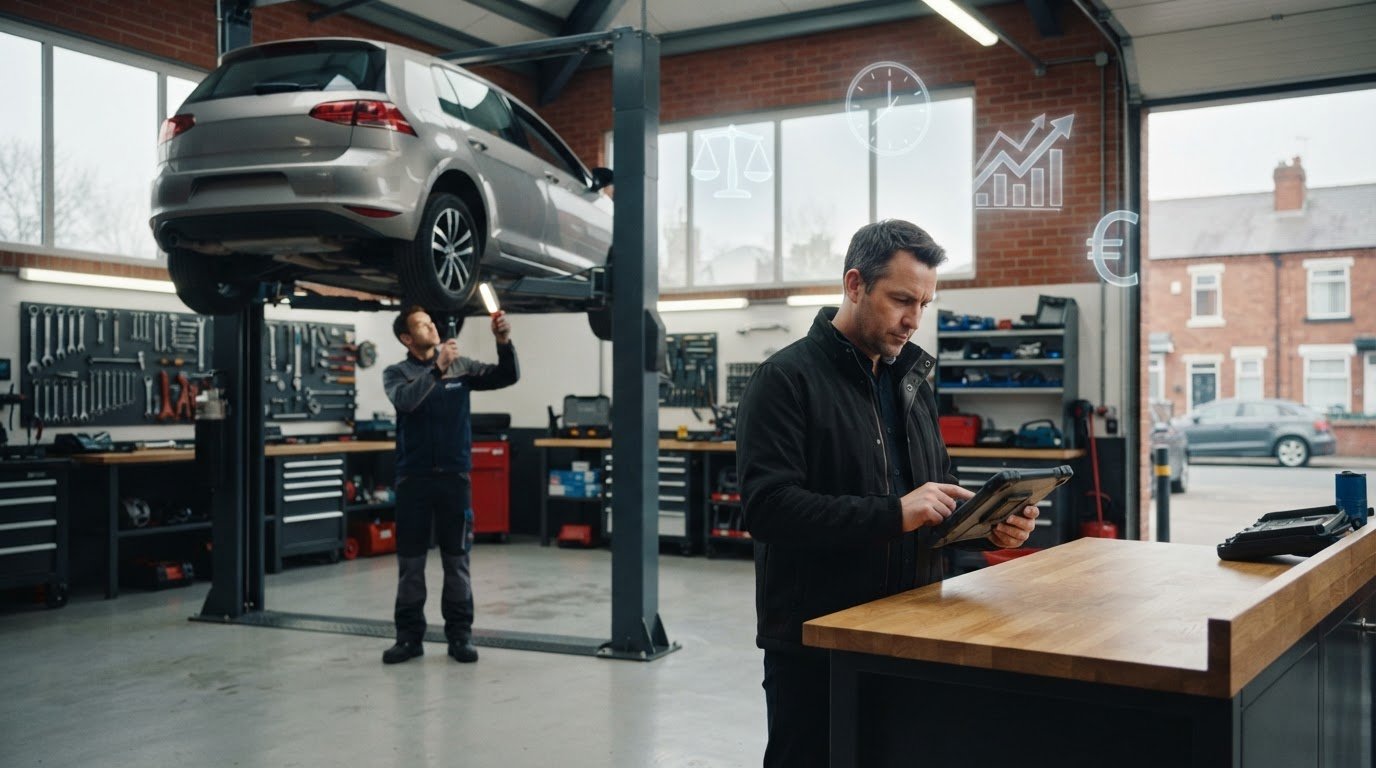
The job is done. The tools are away. Usually, this is where the real headache starts. You're left trying to decipher greasy notes to figure out if you billed for that specific oil filter or the extra litre of coolant. This Complete guide to MechanicX shows how that stress disappears. Because the system pulls parts and labour directly from your digital job cards, the invoice is practically finished before the bonnet is even closed. You aren't just saving time; you're ensuring you get paid for every single minute spent on the shop floor.
Keeping the taxman happy shouldn't take up your Sunday afternoon. MechanicX features automatic synchronisation with Xero, QuickBooks, and Zoho Books. Every invoice you raise and every payment you take flows directly into your accounting software. It's a clean, error-free way to stay compliant with UK digital record-keeping standards. Much like the MOT digital services provided by the DVSA, these integrations are designed to make high-stakes compliance feel like a background task. You can track unpaid invoices at a glance and set up automated reminders so you never have to have that awkward "where's my money?" phone call again.
Professional Billing in Seconds
First impressions matter. Sending a customer a scribbled receipt looks amateur. With MechanicX, you create branded, clear invoices that build immediate trust. You can send these via email or SMS directly from the platform as soon as the work is authorised. This shift eliminates "admin evenings" entirely. Instead of facing a pile of paperwork at 8 PM, you finish your billing whilst the customer is still standing in front of you. It's a professional, no-nonsense approach that reflects the quality of your mechanical work.
The Power of Integrated Payments
Waiting for bank transfers or fumbling with cash is a waste of your energy. The Dojo payment integration allows you to take card payments instantly. It doesn't matter if you're at the front desk or working from the back of a van. For mobile mechanics, this is a massive win. You finish the repair, tap the card terminal, and the job is settled. There's no manual data entry between your terminal and your software, which removes the risk of typing in the wrong amount. It speeds up the checkout process and ensures your bank balance actually matches the hard work you put in during the day.
Automating Growth: MOT Reminders and Parts Sourcing
A quiet workshop is a stressful workshop. Most independent garages rely on customers remembering their own service dates, but life gets in the way. This Complete guide to MechanicX explores how you can stop leaving your revenue to chance. By using the data already in your system, you can turn one-off repairs into lifetime customers. The platform doesn't just manage the jobs you have; it actively works to bring in the jobs you need. It's about building a consistent, predictable flow of work that keeps your ramps full and your technicians busy.
Never Miss an MOT Again
Automated MOT and service reminders are the easiest way to drive repeat business without picking up the phone. When you finish a job, the system sets a "set and forget" reminder for the following year. Customers generally find phone calls intrusive whilst they're at work, but an SMS is different. It's helpful, non-disruptive, and stays on their phone until they're ready to book. These reminders are particularly effective for filling your diary during traditionally quiet months. By providing this service, you aren't just selling a test; you're offering peace of mind. It’s a simple layer of automation that builds massive loyalty over time.
NAPA Part360: Parts Management Simplified
Fumbling with multiple tabs or waiting on hold to check parts availability is a drain on your productivity. MechanicX features a direct integration with NAPA Part360, allowing you to source everything you need in seconds. You can check live stock levels and pricing for the specific vehicle on your ramp without ever leaving the app. This speed is critical when you have a car taking up space in a bay. When you find the part, you can add it to the job card instantly with your specific margins already applied. This ensures your profit is protected and your billing is always accurate.
Beyond just ordering, your customer database becomes a goldmine for growth. You can use vehicle history data to suggest preventative maintenance during routine jobs. If you noticed the brake pads were getting low during a service six months ago, the system lets you reach out with a targeted reminder. It shows the customer you're looking out for their safety and their wallet. This level of professional service is what sets high-performing workshops apart from the rest. If you're ready to stop chasing work and start automating your growth, you can automate your MOT reminders today and see your diary fill up. It’s a direct, no-nonsense way to ensure your workshop thrives in 2026.
Making the Switch: Implementation and Your Workshop’s ROI
Changing how you run your business feels like a massive risk. You're likely worried about downtime, lost data, and the time it takes to learn a new system. We get it. That's why this Complete guide to MechanicX focuses on a transition that’s as painless as possible. Most workshops move from paper to digital in a single afternoon. You don't need to be a tech expert; you just need a tool that works as hard as you do. Because there's no-contract flexibility, we rely on the software being useful, not on locking you into a deal you can't escape.
The Return on Investment (ROI) is straightforward to calculate. If you save just 10 hours a week on invoicing and admin, the system has already paid for itself several times over. That's time you can spend on more billable jobs or finally getting home at a decent hour. If you ever hit a snag, you have access to UK-based support and training for you and your technicians. You're talking to people who understand the UK garage industry, not a distant call centre. It’s about giving you the confidence to modernise without the usual stress.
Your First 24 Hours with MechanicX
Getting started is simple. Your first task is importing your existing customer list and vehicle data into the system. Once that's done, you can set up your first digital job card and test the registration lookup. It’s a quick win that shows you exactly how much time you’ll save on every booking. Finally, connect your Xero or QuickBooks account. This creates a real-time link for your bookkeeping, so your financial records stay accurate without any extra effort from you. By the end of day one, your workshop is already running smoother.
Measuring Success in Your Garage
Once you’re up and running, you’ll start seeing the results in your numbers. Keep an eye on technician efficiency and your average invoice value. You’ll likely find that when parts and labour are tracked digitally, you stop "forgetting" to bill for the small things that eat into your profit. Customer retention also climbs because those automated reminders keep people coming back. Reduced administrative errors mean fewer headaches and a healthier bottom line. It’s a professional way to grow. If you're ready to reclaim your time, Start your journey with MechanicX today and see how much your workshop can achieve.
Take Control of Your Workshop's Future
Running a workshop in 2026 shouldn't mean being buried under paperwork. You've seen how digital job cards and automated MOT reminders can fill your diary and stop administrative leakage. By centralising your operations, you move from reacting to daily chaos to managing a professional, scalable business. This Complete guide to MechanicX has outlined the path from greasy clipboards to a streamlined, cloud-based system that works wherever you do. It's about working smarter, not harder.
You aren't alone in making this shift. Hundreds of independent UK workshops already use MechanicX to save up to 10 hours of admin every week. With seamless integrations for Dojo, NAPA Part360, and Xero, your shop floor stays in perfect sync with your bank account and your parts supplier. It's time to stop spending your evenings on invoices and start focusing on the work that actually pays the bills.
Ready to see how it works on your own shop floor? Book a demo of the MechanicX Garage Management System today. Take the first step toward a more organised, profitable garage. You've got the mechanical skills; now get the digital tools to match.
Frequently Asked Questions
Is MechanicX suitable for one-man-band mobile mechanics?
MechanicX is perfectly suited for mobile mechanics because it is a cloud-based system accessible from any phone or tablet. You can manage your entire diary, create digital job sheets, and send professional invoices while sitting in your van. Since it doesn't require on-premise installation, you have full office functionality at every roadside call-out. This flexibility makes it a core part of any complete guide to MechanicX for solo operators.
How does the automated MOT reminder system work?
The system uses vehicle registration lookups to pull MOT expiry dates and automatically schedules SMS reminders for your customers. Once you've serviced a vehicle, the "set and forget" logic takes over, sending a text when the next test is due. This non-intrusive approach encourages repeat bookings without you needing to spend hours on the phone. It is an essential tool for maintaining a steady workflow during traditionally quiet months in the workshop.
Can I use MechanicX on my existing Android or Apple tablet?
You can use MechanicX on any modern Android or Apple tablet, as well as your desktop or smartphone. Because the platform is cloud-based, there is no need for specific, proprietary hardware to get started. However, for those looking for a more ruggedised solution, dedicated Workshop Tablets are available to handle the daily wear and tear of a busy shop floor. This ensures your digital job cards are always within reach of your technicians.
Does MechanicX integrate with my existing accounting software?
MechanicX integrates seamlessly with major accounting platforms including Xero, QuickBooks, and Zoho Books. When you raise an invoice or take a payment, the data synchronises automatically with your chosen software. This eliminates the need for manual data entry at the end of the month and ensures your financial records are always up to date. It is a straightforward way to keep your bookkeeping accurate while focusing on mechanical work instead of messy spreadsheets.
Is my customer and vehicle data safe in the cloud?
Your data is highly secure. MechanicX is Cyber Essentials Certified and uses industry-standard encryption to protect customer and vehicle records. Unlike paper diaries or local spreadsheets that can be lost, stolen, or damaged, cloud storage provides regular backups and remote access. This means your business information remains safe and accessible even if your hardware fails. It offers peace of mind for workshop managers who value data integrity and long-term security.
How does the NAPA Part360 integration save my workshop time?
The NAPA Part360 integration allows you to source parts, check live stock levels, and view pricing directly within the MechanicX app. You don't have to waste time calling suppliers or switching between different websites. Once you find the right part for the registration, you can add it to a job card with your pre-set margins already applied. This ensures your parts ordering is fast, accurate, and consistently profitable for every single job on your ramps.
Are there any long-term contracts or hidden fees?
There are no long-term contracts or hidden fees when you use MechanicX. The business operates on a flexible, no-contract basis because the platform relies on its own utility to keep you as a customer. You pay a transparent monthly price that covers the core garage management features without unexpected costs. This straightforward approach allows you to scale your workshop management without worrying about being locked into a deal that no longer fits your needs.
Can I manage multiple workshop sites with one MechanicX account?
You can certainly manage multiple workshop sites using MechanicX. The system is designed to centralise your data, allowing you to oversee different locations from a single account. This is particularly useful for growing businesses that need to track technician efficiency and bay capacity across several garages simultaneously. By using this complete guide to MechanicX, you can ensure that every branch of your business follows the same streamlined, digital processes for maximum consistency.
Frequently Asked Questions
Who is MechanicX For?
Whether you're running a four-ramp independent garage or operating as a solo mobile mechanic, the system scales to fit your specific needs. It's built for professionals who value utility over aesthetics. By removing these daily obstacles, you reclaim control over your time. You stop being an administrator who happens to fix cars and start being a workshop owner with a streamlined, profitable operation. A paper diary is a liability in a modern garage. It’s easy to misplace, hard to read, and impossible to share between the office and the workshop floor. MechanicX replaces this chaos with a centralised digital system that manages your bay capacity in real time. You can see exactly what’s on each ramp and which jobs are running over without leaving your desk. This Complete guide to MechanicX highlights how total visibility prevents the stress of overbooking and ensures your team stays productive. By organising your workflow digitally, you stop reacting to problems and start managing your day.
Is MechanicX suitable for one-man-band mobile mechanics?
MechanicX is perfectly suited for mobile mechanics because it is a cloud-based system accessible from any phone or tablet. You can manage your entire diary, create digital job sheets, and send professional invoices while sitting in your van. Since it doesn't require on-premise installation, you have full office functionality at every roadside call-out. This flexibility makes it a core part of any complete guide to MechanicX for solo operators.
How does the automated MOT reminder system work?
The system uses vehicle registration lookups to pull MOT expiry dates and automatically schedules SMS reminders for your customers. Once you've serviced a vehicle, the "set and forget" logic takes over, sending a text when the next test is due. This non-intrusive approach encourages repeat bookings without you needing to spend hours on the phone. It is an essential tool for maintaining a steady workflow during traditionally quiet months in the workshop.
Can I use MechanicX on my existing Android or Apple tablet?
You can use MechanicX on any modern Android or Apple tablet, as well as your desktop or smartphone. Because the platform is cloud-based, there is no need for specific, proprietary hardware to get started. However, for those looking for a more ruggedised solution, dedicated Workshop Tablets are available to handle the daily wear and tear of a busy shop floor. This ensures your digital job cards are always within reach of your technicians.
Does MechanicX integrate with my existing accounting software?
MechanicX integrates seamlessly with major accounting platforms including Xero, QuickBooks, and Zoho Books. When you raise an invoice or take a payment, the data synchronises automatically with your chosen software. This eliminates the need for manual data entry at the end of the month and ensures your financial records are always up to date. It is a straightforward way to keep your bookkeeping accurate while focusing on mechanical work instead of messy spreadsheets.
Is my customer and vehicle data safe in the cloud?
Your data is highly secure. MechanicX is Cyber Essentials Certified and uses industry-standard encryption to protect customer and vehicle records. Unlike paper diaries or local spreadsheets that can be lost, stolen, or damaged, cloud storage provides regular backups and remote access. This means your business information remains safe and accessible even if your hardware fails. It offers peace of mind for workshop managers who value data integrity and long-term security.
How does the NAPA Part360 integration save my workshop time?
The NAPA Part360 integration allows you to source parts, check live stock levels, and view pricing directly within the MechanicX app. You don't have to waste time calling suppliers or switching between different websites. Once you find the right part for the registration, you can add it to a job card with your pre-set margins already applied. This ensures your parts ordering is fast, accurate, and consistently profitable for every single job on your ramps.
Are there any long-term contracts or hidden fees?
There are no long-term contracts or hidden fees when you use MechanicX. The business operates on a flexible, no-contract basis because the platform relies on its own utility to keep you as a customer. You pay a transparent monthly price that covers the core garage management features without unexpected costs. This straightforward approach allows you to scale your workshop management without worrying about being locked into a deal that no longer fits your needs.
Can I manage multiple workshop sites with one MechanicX account?
You can certainly manage multiple workshop sites using MechanicX. The system is designed to centralise your data, allowing you to oversee different locations from a single account. This is particularly useful for growing businesses that need to track technician efficiency and bay capacity across several garages simultaneously. By using this complete guide to MechanicX, you can ensure that every branch of your business follows the same streamlined, digital processes for maximum consistency.
More articles

Try MechanicX free for 30 days
No card required. Set up in an afternoon and book tomorrow's jobs into it — that's the real test.