Car Mechanic Invoicing Software: Guide for UK Garages
28 September 2026 · 7 min read
Written by Daniel Staples — Director, MechanicX. Workshop operator and developer of MechanicX garage management software.
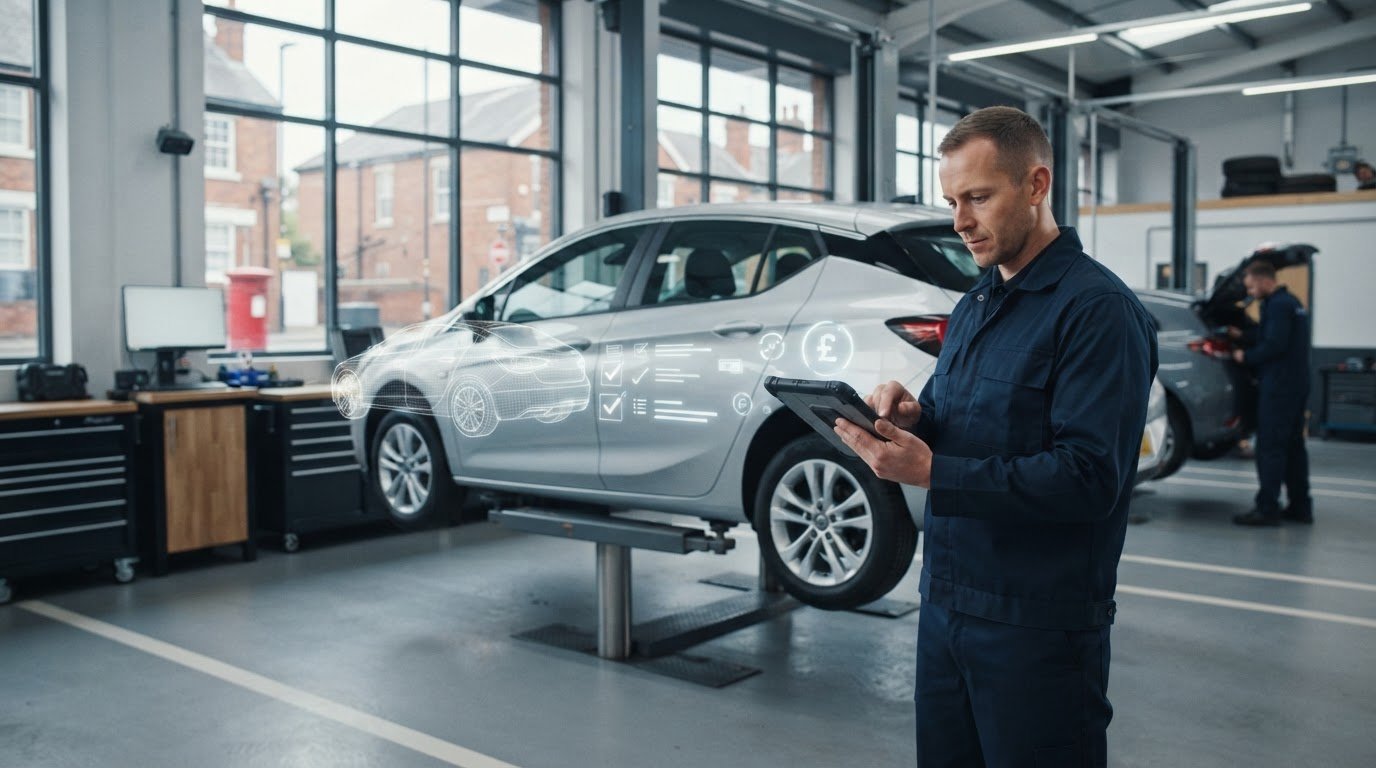
What if the details you’ve already recorded for a repair could carry through to the invoice, without being typed out again? Re-entering job information takes time and makes it easier to miss a detail. If an estimate or invoice does not clearly reflect the work agreed and completed, it can also make customer queries harder to resolve.
The right car mechanic billing software can help you turn repair records into clear invoices while keeping customer, vehicle and billing information organised. This guide covers what to check, from estimates and digital job sheets to payments and accounting integrations. It also explains how to compare systems and plan a switch around your workshop routine.
What car mechanic billing software does in a UK workshop
Car mechanic billing software helps you prepare invoices using records of the customer, vehicle, estimate and work carried out. When these records connect, you can build an invoice without copying every detail from a job card into a separate document. That reduces repeated entry and makes it easier to check what was agreed against what was billed.
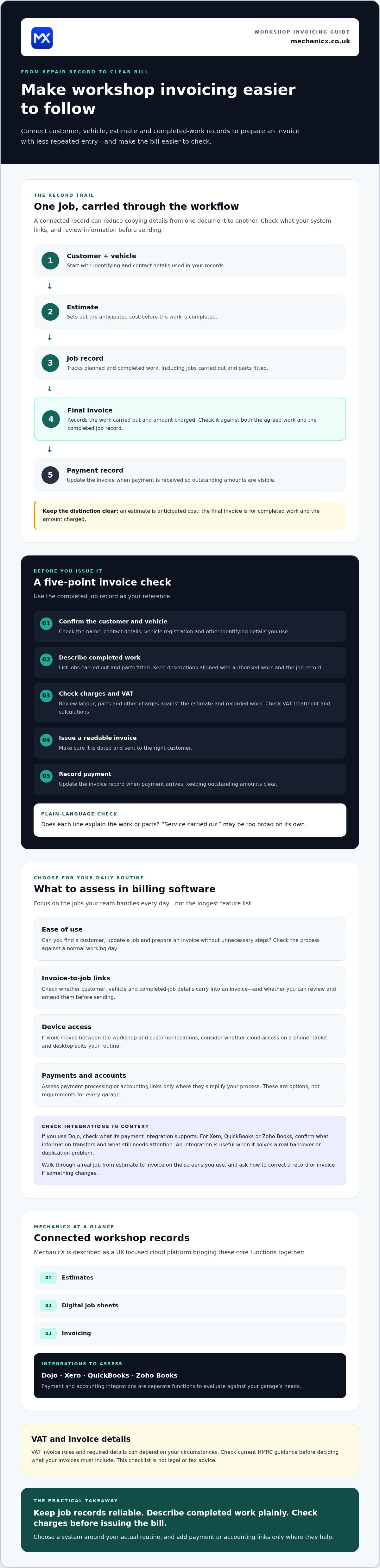
An estimate sets out the anticipated cost before work is completed; the final invoice records the work carried out and the amount charged. Keep the two distinct, and check that the invoice reflects both the agreed work and what was completed.
Which workshop tasks can billing software bring together?
A typical workflow starts with the customer and vehicle details, followed by an estimate and a record of the planned work. As the job progresses, staff can update its details. When it is complete, those records can provide the basis for an invoice. Check that you can review and amend the information before sending it.
For example, after a service, you can use the job record to prepare an invoice showing the relevant work and charges, rather than entering each item again. Payment processing and accounting links may be separate integrations, so check what connects and what still needs to be handled elsewhere. These features are useful when they fit your existing process, but not every garage needs them.
MechanicX Garage Management System brings estimates, digital job sheets and invoicing together. Its Dojo payment and accounting integrations are separate functions to assess against your needs. The aim is to keep job information and billing organised without creating more admin.
How to create a clear car repair invoice, step by step
A consistent process makes invoices easier to check and understand. Use the completed job record as your reference, then work through these steps:
- Confirm the customer and vehicle. Check the customer’s name and contact details, the vehicle registration and any other identifying details you use in your records.
- Record the completed work. List the jobs carried out and parts fitted. Keep descriptions aligned with the work authorised and the completed job record. Do not bill for work that was not agreed.
- Check the charges. Review labour, parts and other charges against the agreed estimate and recorded work. Check VAT treatment and calculations before issuing the invoice.
- Issue the invoice. Make sure it is readable, dated and sent to the right customer.
- Record payment. Update the invoice record when payment is received so you can see what remains outstanding.
What details should you check before sending an invoice?
Read the invoice from the customer’s point of view. Are the customer and vehicle details correct? Does each line describe completed work in plain language, and do the charges match what was agreed? “Service carried out” may be too broad on its own. Naming the work or parts can make it clearer what the customer is paying for.
Clear invoice checklist: correct customer and vehicle details, readable descriptions of completed work, agreed charges, accurate VAT treatment, and all applicable invoice information. VAT invoice rules and required details can depend on your circumstances. Check current HMRC guidance before deciding what your invoices must include, and do not treat this checklist as legal or tax advice.
Car mechanic billing software can carry job details into an invoice, but a final review still matters. If you’re comparing ways to connect estimates, job records and billing, explore connected workshop invoicing tools.
How to choose billing software that fits your garage workflow
Choose software around the jobs you handle every day, not the longest feature list. The right system should fit how your team records work, prepares invoices and takes payment, without making routine tasks harder.
- Ease of use: Can you find a customer, update a job and prepare an invoice without unnecessary steps? Ask to see the process you would use during a normal working day.
- Invoice-to-job links: Check whether customer, vehicle and completed job details carry into an invoice, and whether you can review and amend them before sending.
- Device access: If you move between the workshop and customer locations, consider whether cloud access on a phone, tablet and desktop would suit your routine.
- Payments and accounts: Decide whether payment processing or accounting links would simplify your current process. These are options to assess, not requirements for every garage.
Which integrations and everyday features are worth checking?
If you use Dojo, check what its payment integration supports and how it fits the way you take payments. If you manage accounts in Xero, QuickBooks or Zoho Books, confirm what information the relevant integration transfers and what still needs attention. An integration is useful when it solves a real handover or duplication problem.
Cloud access can help workshop teams and mobile mechanics work across devices. Check that the interface is practical on the screens you use, then walk through a real job from estimate to invoice. Ask how to correct a record or invoice if something changes.
MechanicX is a UK-focused cloud platform that brings estimates, digital job sheets and invoicing together, with Dojo payment and accounting integrations available. Review the MechanicX Garage Management System as one option, and check whether its workflow and integrations match your garage’s needs.
Make invoicing a smoother part of the working day
Clear invoices start with reliable job records. Keep customer and vehicle details organised, describe completed work plainly, and check charges before issuing the bill. The right car mechanic billing software can carry information from estimates and digital job sheets into invoicing, reducing repeated entry and making the job trail easier to follow. Choose a system around your actual routine, and add payment or accounting links only where they help.
MechanicX brings estimates, digital job sheets and invoicing together in one cloud platform. Its integrations include Dojo, Xero, QuickBooks and Zoho Books, which you can assess alongside the tools you already use. See how MechanicX can simplify workshop admin and decide whether its features fit your workflow.
Frequently Asked Questions
What should a car repair invoice include in the UK?
A clear car repair invoice should identify the customer and vehicle, describe the work completed and show the charges in an understandable way. These are good-practice checks, not a complete statement of legal requirements. VAT obligations and invoice rules can depend on your circumstances, so check current HMRC guidance to confirm which details your invoices must include.
Can car mechanic billing software create invoices from job cards?
Some car mechanic billing software connects job information with invoicing, but features vary between systems. Check whether details of completed work, parts and labour can transfer accurately from the job card to the invoice. You should also be able to review and correct the invoice before sending it, rather than relying on an unchecked automatic transfer.
Is billing software useful for a mobile mechanic?
It can be useful if you need to manage customer, vehicle and invoice records away from a workshop desk. Cloud software accessible by phone, tablet or computer may suit work across different locations. Before choosing, confirm which devices are supported, what internet connection is needed to use the system, and how its payment workflow fits your usual way of taking payment.
How much does car mechanic billing software cost?
Prices and included features vary by provider, so a generic price range may not reflect what your garage would pay. Compare the billing tools, job management features, integrations, support arrangements and contract terms together. Then check current pricing directly with each provider, including what the plan includes and whether additional charges apply to the functions you need.
Frequently Asked Questions
Which workshop tasks can billing software bring together?
A typical workflow starts with the customer and vehicle details, followed by an estimate and a record of the planned work. As the job progresses, staff can update its details. When it is complete, those records can provide the basis for an invoice. Check that you can review and amend the information before sending it. For example, after a service, you can use the job record to prepare an invoice showing the relevant work and charges, rather than entering each item again. Payment processing and accounting links may be separate integrations, so check what connects and what still needs to be handled elsewhere. These features are useful when they fit your existing process, but not every garage needs them. MechanicX Garage Management System brings estimates, digital job sheets and invoicing together. Its Dojo payment and accounting integrations are separate functions to assess against your needs. The aim is to keep job information and billing organised without creating more admin. A consistent process makes invoices easier to check and understand. Use the completed job record as your reference, then work through these steps:
What details should you check before sending an invoice?
Read the invoice from the customer’s point of view. Are the customer and vehicle details correct? Does each line describe completed work in plain language, and do the charges match what was agreed? “Service carried out” may be too broad on its own. Naming the work or parts can make it clearer what the customer is paying for. Clear invoice checklist: correct customer and vehicle details, readable descriptions of completed work, agreed charges, accurate VAT treatment, and all applicable invoice information. VAT invoice rules and required details can depend on your circumstances. Check current HMRC guidance before deciding what your invoices must include, and do not treat this checklist as legal or tax advice. Car mechanic billing software can carry job details into an invoice, but a final review still matters. If you’re comparing ways to connect estimates, job records and billing, explore connected workshop invoicing tools. Choose software around the jobs you handle every day, not the longest feature list. The right system should fit how your team records work, prepares invoices and takes payment, without making routine tasks harder.
Which integrations and everyday features are worth checking?
If you use Dojo, check what its payment integration supports and how it fits the way you take payments. If you manage accounts in Xero, QuickBooks or Zoho Books, confirm what information the relevant integration transfers and what still needs attention. An integration is useful when it solves a real handover or duplication problem. Cloud access can help workshop teams and mobile mechanics work across devices. Check that the interface is practical on the screens you use, then walk through a real job from estimate to invoice. Ask how to correct a record or invoice if something changes. MechanicX is a UK-focused cloud platform that brings estimates, digital job sheets and invoicing together, with Dojo payment and accounting integrations available. Review the MechanicX Garage Management System as one option, and check whether its workflow and integrations match your garage’s needs. Clear invoices start with reliable job records. Keep customer and vehicle details organised, describe completed work plainly, and check charges before issuing the bill. The right car mechanic billing software can carry information from estimates and digital job sheets into invoicing, reducing repeated entry and making the job trail easier to follow. Choose a system around your actual routine, and add payment or accounting links only where they help. MechanicX brings estimates, digital job sheets and invoicing together in one cloud platform. Its integrations include Dojo, Xero, QuickBooks and Zoho Books, which you can assess alongside the tools you already use. See how MechanicX can simplify workshop admin and decide whether its features fit your workflow.
What should a car repair invoice include in the UK?
A clear car repair invoice should identify the customer and vehicle, describe the work completed and show the charges in an understandable way. These are good-practice checks, not a complete statement of legal requirements. VAT obligations and invoice rules can depend on your circumstances, so check current HMRC guidance to confirm which details your invoices must include.
Can car mechanic billing software create invoices from job cards?
Some car mechanic billing software connects job information with invoicing, but features vary between systems. Check whether details of completed work, parts and labour can transfer accurately from the job card to the invoice. You should also be able to review and correct the invoice before sending it, rather than relying on an unchecked automatic transfer.
Is billing software useful for a mobile mechanic?
It can be useful if you need to manage customer, vehicle and invoice records away from a workshop desk. Cloud software accessible by phone, tablet or computer may suit work across different locations. Before choosing, confirm which devices are supported, what internet connection is needed to use the system, and how its payment workflow fits your usual way of taking payment.
How much does car mechanic billing software cost?
Prices and included features vary by provider, so a generic price range may not reflect what your garage would pay. Compare the billing tools, job management features, integrations, support arrangements and contract terms together. Then check current pricing directly with each provider, including what the plan includes and whether additional charges apply to the functions you need.
More articles


Try MechanicX free for 30 days
No card required. Set up in an afternoon and book tomorrow's jobs into it — that's the real test.