How to Improve MechanicX: A Masterclass in Workshop Efficiency
6 September 2026 · 16 min read
Written by Daniel Staples — Director, MechanicX. Workshop operator and developer of MechanicX garage management software.
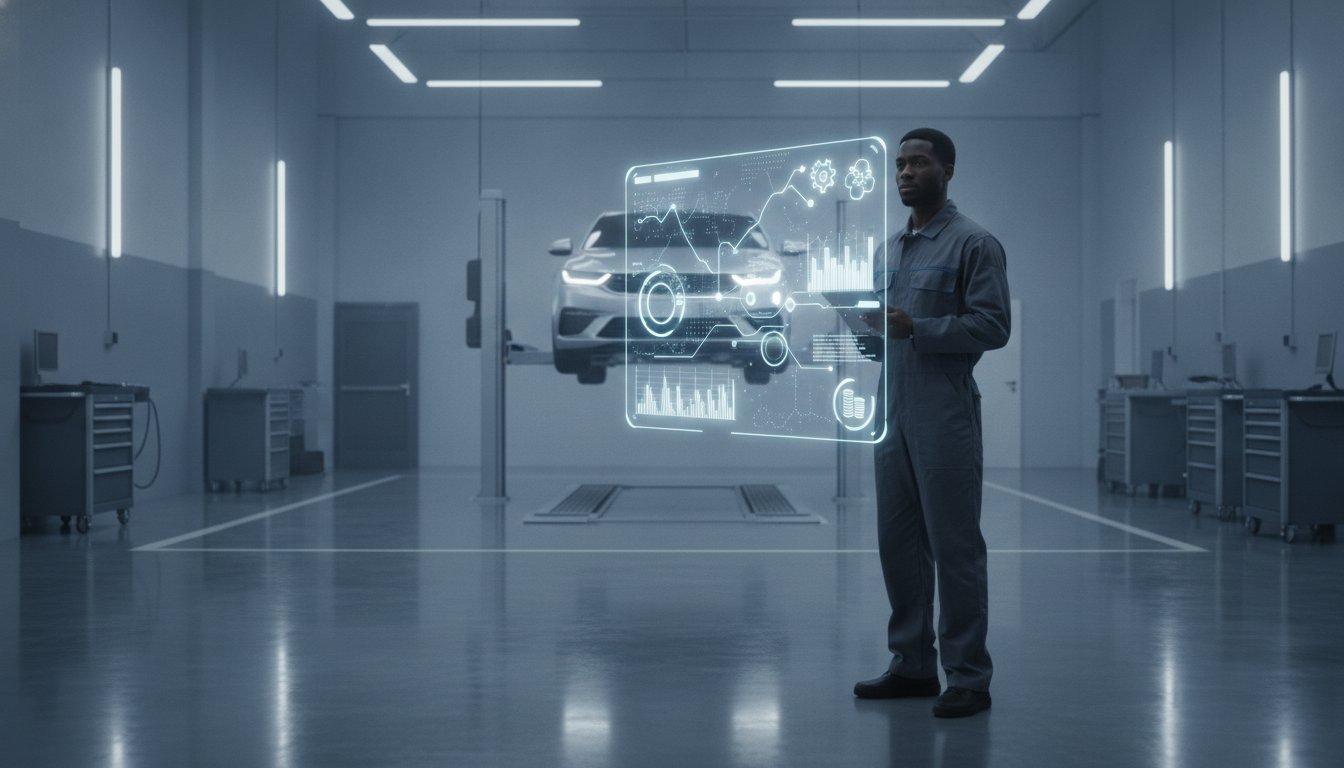
How much of your hard-earned profit is currently leaking through the gaps in your workshop schedule? It's a frustrating reality for many garage owners who feel they're only scratching the surface of their software. You’ve likely got a subscription to MechanicX, yet you’re still losing hours to manual parts ordering and chasing late payments over the phone. By mastering advanced MechanicX features, you can stop being a slave to the desk and get back to the work that actually pays the bills.
We know the feeling of being buried under a mountain of paper job sheets whilst trying to keep the ramps moving. You want a workshop that runs itself, not one that requires you to be the middleman for every single MOT reminder. This article will show you how to squeeze every drop of value from your subscription to reclaim your time and boost your profit. We’ll look at the path to a paperless floor, explore NAPA Part360 integrations for instant ordering, and show you how to use Dojo to get paid the second the keys are handed back.
Key Takeaways
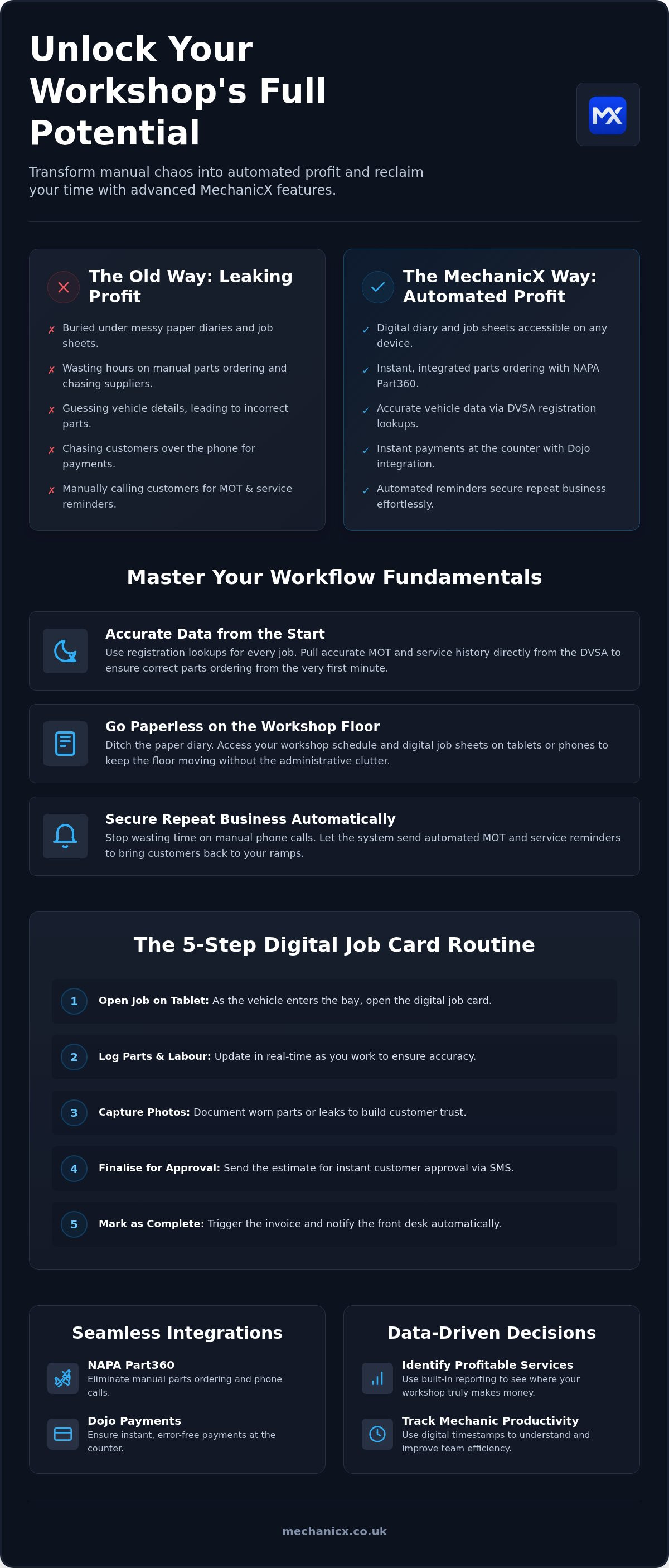
- Stop guessing vehicle details. Use the registration lookup for every job to ensure your data is accurate and your parts orders are correct from the start.
- Ditch the messy paper diary for good. Access your workshop schedule and digital job sheets via tablet or phone to keep the floor moving without the administrative clutter.
- Automate your MOT and service reminders to secure repeat business. Stop wasting time on manual phone calls and let the system bring customers back to your ramps automatically.
- Master advanced mechanicx features like NAPA Part360 and Dojo integrations. These tools eliminate manual parts ordering and ensure instant, error-free payments at the counter.
- Use built-in reporting to identify your most profitable services. Track mechanic productivity with digital timestamps to see exactly where your workshop is making money.
Table of Contents
Optimising Your Workflow with MechanicX Fundamentals
A garage management system is a tool, not a magic wand. Your workshop's efficiency is directly tied to your data entry habits. If you treat the software like a digital filing cabinet for old invoices, you're missing the point. To truly unlock the benefits of workshop efficiency software, you need to move away from the "hybrid" approach. Many shops still keep a paper diary whilst occasionally typing jobs into a computer. This creates double the work and twice the chance for errors. It's time to commit to a single source of truth.
Moving to a fully digital environment isn't just about saving paper. It's about speed and control. When every job starts inside the system, the vehicle data flows through to the invoice without you having to re-type a single word. This consistency is the first step toward mastering advanced mechanicx features. It allows you to build a history that you can actually use to grow the business and keep your customers coming back.
The Power of Registration Lookups
Manual vehicle entry is a massive waste of time. It's also where most workshop errors originate. One typo in a chassis number leads to the wrong parts being delivered, which leaves a vehicle taking up space on a ramp for an extra day. By using the registration lookup for every single job, you pull accurate MOT and service history directly from the DVSA. You'll know the exact brake disc size or oil grade needed before the bonnet is even up. This ensures parts compatibility from the first minute, keeping your workflow smooth and your ramps turning over quickly.
Cleaning Up Your Customer Database
Your database is your most valuable asset, but only if it's clean. Standardising how you record phone numbers and email addresses is vital for SMS success. If you've got incomplete records, your automated reminders will simply fail. Clean data allows you to segment customers by vehicle type or service frequency. You can then send targeted offers to van owners or remind high-mileage drivers about interim oil changes. This level of organisation is what separates a busy garage from a profitable one. Proper data management is the foundation for all advanced mechanicx features, ensuring your automated systems actually reach the customer and secure that repeat booking.
Mastering Digital Job Sheets and Diary Management
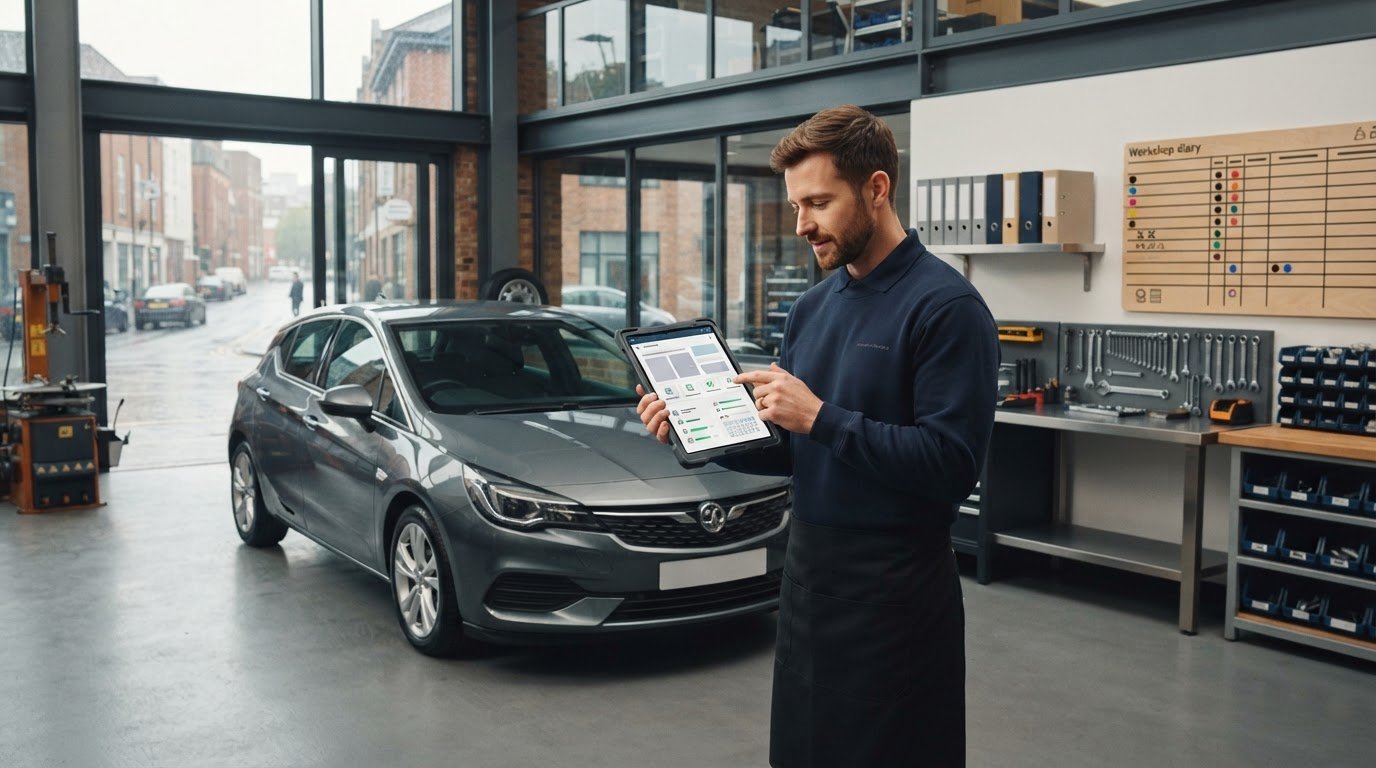
A paper diary is a bottleneck. If it's sat on the front desk, your mechanics are flying blind. If it's in the workshop, you can't answer customer questions over the phone without walking across the floor. Moving your schedule to a digital view removes these barriers instantly. It allows everyone to see exactly what’s on the ramps and what’s waiting in the car park. This visibility is central to implementing Strategies for Repair Shop Efficiency, ensuring that dead time between jobs is virtually eliminated.
By utilising advanced mechanicx features, you can assign staff to specific tasks and track real-time progress. No more shouting across the workshop to see if a car is finished. The status updates as the work happens. This transparency keeps the workflow moving and ensures that the next vehicle is ready to be brought in the moment a ramp becomes free.
A 5-Step Routine for Digital Job Cards
Consistency on the tools is what drives profit. Follow this simple routine to keep your data accurate and your customers informed:
- Step 1: Open the job on a workshop tablet as the vehicle enters the bay.
- Step 2: Log parts and labour as you work. Don't wait until the end of the day when you've forgotten the small items.
- Step 3: Capture photos of worn parts or leaks. This builds massive customer trust and provides proof of work.
- Step 4: Finalise the estimate for instant customer approval via SMS. No more chasing people on the phone.
- Step 5: Mark the job as complete to trigger the invoice and notify the front desk immediately.
Maximising the Multi-Device Workflow
The software isn't tethered to one desk. Use the desktop view for your morning planning and heavy back-office admin. Equipping your team with workshop tablets allows for at-car data entry, meaning job sheets are updated without anyone leaving the bay. Using these advanced mechanicx features turns your tablet into a profit-generating tool rather than just a screen. Finally, keep the diary on your phone. It's perfect for checking your schedule whilst you're away from the workshop or out on a call, keeping you in control of your business 24/7.
Automating Reminders to Secure Repeat Business
Manual MOT reminders are a massive drain on your day. Standing at the front desk with a stack of old invoices, trying to guess who is due for a test, is a waste of your expertise. You're a mechanic or a workshop manager, not a call centre agent. Every minute spent on the phone is a minute you aren't fixing cars or managing the floor. By switching to a set and forget system, you ensure that no customer slips through the cracks.
The financial impact is clear. A modest 10% increase in repeat bookings across the year can transform your bottom line. It's much cheaper to keep an existing customer than to find a new one. When you lean into advanced mechanicx features like automated SMS, you're building a predictable revenue stream that doesn't require your constant attention. It’s about working smarter, not harder, to keep those ramps turning.
The ROI of Automated MOT Reminders
Think about the cost of a missed booking. If an MOT and minor service average £200 in revenue, losing just five of those a month costs you £12,000 a year. Compare that to the cost of an automated SMS, which is just a few pence. MechanicX identifies upcoming MOT dates automatically by syncing with DVSA data. It knows the date before you do. Timing is everything here. Sending a reminder 28 days before the expiry gives the customer enough time to book whilst ensuring they don't go elsewhere. It's a simple way to protect your future income.
Personalising the Automated Experience
Nobody likes getting a text that feels like it was written by a computer. To get the best results, customise your SMS templates to match your brand's direct, helpful tone. Keep it simple. A message like "Hi [Name], your MOT is due in 3 weeks. Click here to book your slot" works better than a long, formal paragraph. Including direct booking links reduces friction, making it easy for a busy customer to say yes. You can also use these advanced mechanicx features to fill quiet periods in the diary. If next Tuesday looks empty, send a targeted service reminder to a specific group of high-mileage drivers. It’s a proactive way to keep the workshop busy without the stress of manual outreach.
Integrating Parts and Payments for a Seamless Flow
Efficiency dies the moment you pick up the phone to order a filter or type a price into a card machine. These manual steps are where profit leaks out of your business. You don't need a complex, corporate ERP system to fix this. By using advanced mechanicx features, you can connect your parts suppliers and payment providers directly to your workshop floor. It’s about creating a closed loop where data flows from the vehicle registration lookup all the way to your bank account without you re-typing a single digit.
Connecting your back-office tools to your workshop activity doesn't just save time. It protects your cash flow. When parts costs and labour are linked in real-time, you eliminate the risk of forgetting to bill for that extra litre of oil or a specialist bolt. This level of integration ensures that the price the customer sees is accurate, and the profit you expect is actually what ends up in your pocket.
Parts Procurement Without the Headache
Ordering via NAPA Part360 inside MechanicX saves you from the "hold music" trap. You source the parts directly within the digital job card whilst you are still standing at the vehicle. The system already knows the car from the initial lookup, so the parts fit first time. It also ensures your pre-set mark-ups are applied automatically to every customer quote. This protects your margins without you needing to do the maths on every line item. You can even track the delivery status without leaving the management system interface, so you know exactly when to bring the car onto the ramp.
Getting Paid Faster with Integrated Payments
Manual card machine entry is a recipe for disaster. It only takes one busy Friday afternoon for a £100 invoice to be typed in as £10. Those reconciliation errors cost you money and hours of stress at the end of the month. Using Dojo integration means the invoice total is pushed directly to the card terminal. It's instant, error-free, and professional. To get your workshop running this smoothly, you can view the MechanicX integration options today.
You can also send digital payment links to customers via SMS. This allows them to pay for the repair before they even arrive to pick up their keys. Once the transaction is complete, the invoice is marked as settled automatically. This data then flows straight into Xero or QuickBooks, satisfying your accountant and saving you from the Sunday night bookkeeping nightmare. This is how advanced mechanicx features turn a busy garage into a streamlined, profitable business.
Scaling Your Garage with MechanicX Analytics
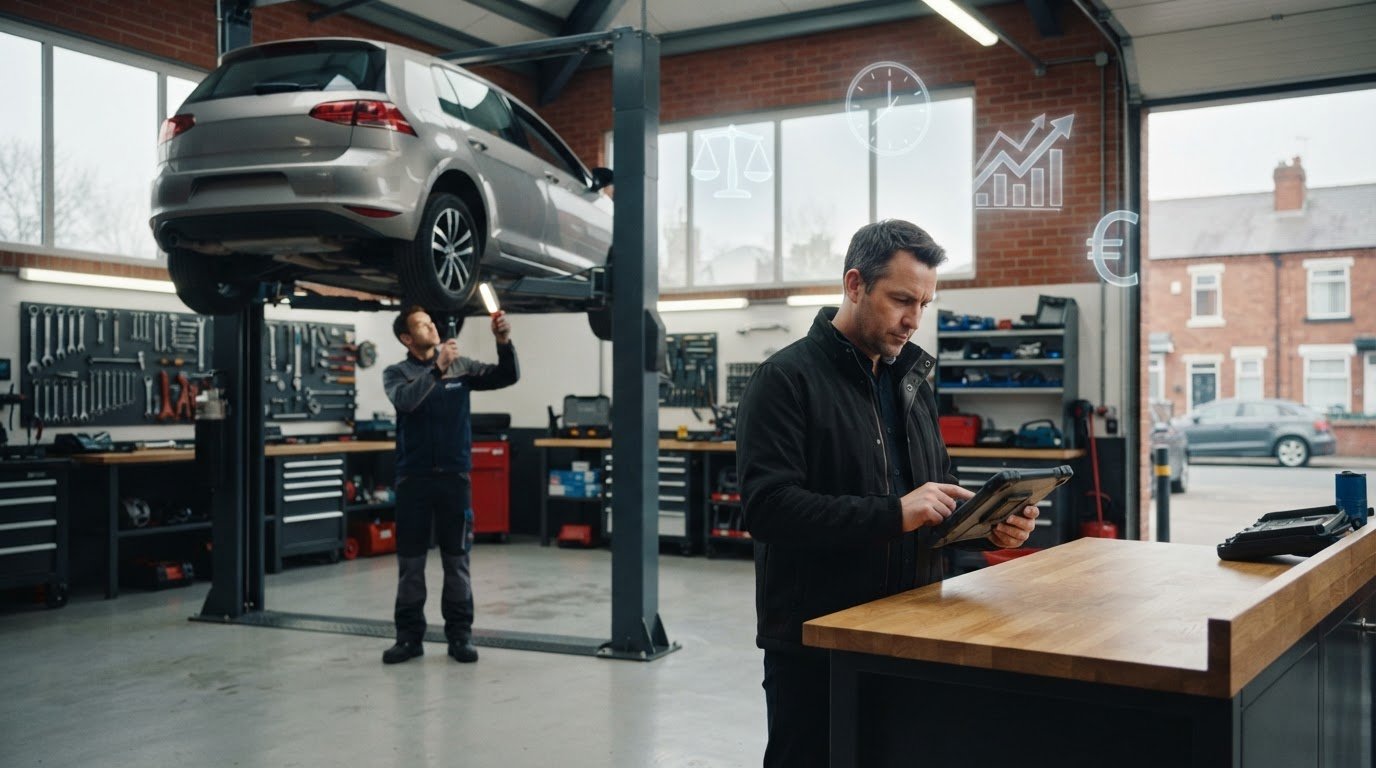
Growth isn't just about working more hours. It's about knowing which hours are the most profitable. If you're still relying on a gut feeling or a messy spreadsheet at the end of the month, you're flying blind. The reporting suite in MechanicX gives you a clear view of your performance without the administrative headache. You can track your growth month-on-month and see exactly where your bank balance is coming from. It’s about having the facts to hand so you can make decisions that actually move the needle.
Monitoring mechanic productivity becomes simple through digital job sheet timestamps. You'll see exactly when a job was started and when it was signed off. This isn't about being a "big brother" figure. It's about identifying bottlenecks. If a specific type of repair is consistently taking longer than estimated, you can adjust your pricing or your process. It also helps you spot leakage where labour or parts aren't being billed correctly. These advanced mechanicx features ensure every penny you spend on wages and stock is accounted for on a final invoice.
Spotting Your Profit Centres
Not all jobs are created equal. Some high-turnover tasks might actually be eating your profit once you account for bay time and technician wages. Use the analytics to see which services have the best margin versus the time taken in the bay. You can also identify slow-paying customers or those who frequently no-show, allowing you to protect your diary for more reliable business. For a broader look at the industry landscape, check out Garage Management: The 2026 Guide for UK Workshops.
The Path to a Paperless Workshop
Transitioning to a paperless environment is the final step in modernising your shop. It requires a shift in behaviour, not just software. Train your team to embrace a digital-first approach where the tablet is as essential as the spanner. Here is a final checklist for removing the last of the paperwork from your desk:
- Ensure every job starts with a registration lookup.
- Mandate that all parts are sourced via the digital job card.
- Use Dojo for every transaction to automate your bookkeeping.
- Set your goals for the next 12 months based on your current performance data.
Whether you want to increase your MOT volume or reduce your weekly admin time, advanced mechanicx features provide the data you need to hit those targets. It’s time to stop chasing your tail and start building the workshop you actually want to run.
Take Control of Your Workshop Profit
Running a garage shouldn't feel like a constant battle against paperwork. You've seen how moving to digital job sheets and automating your MOT reminders can stop profit from leaking out of your bays. By leaning into advanced mechanicx features like Dojo and NAPA Part360 integrations, you remove the manual friction that slows down your team and frustrates your customers. It’s about making the software work as hard as you do on the tools.
You don't need a complicated system or a massive contract to see these results. MechanicX was built specifically for independent garages and mobile mechanics by people who understand the shop floor. You get UK-based support whenever you need it, with no hidden fees or long-term commitments to worry about. It's time to reclaim your time and focus on growing your business. Start your free trial of MechanicX today and see the difference a streamlined workshop makes. You’ve got the skills to fix the cars; now you’ve got the tools to fix the business.
Frequently Asked Questions
Can I use MechanicX on my existing workshop tablets?
Yes, you can use your existing hardware without any issues. Because MechanicX is cloud-based, it works on any device with a modern web browser. Whether you use an iPad, an Android tablet, or a rugged workshop device, you can access your digital job sheets instantly. This flexibility allows you to implement advanced mechanicx features without spending a fortune on new kit. Just log in and start managing your workshop from the bay.
How much time can I really save by automating MOT reminders?
You'll save hours of administrative grunt work every single week. Instead of spending your evenings scrolling through old invoices and sending manual texts, the system handles the outreach for you. It identifies upcoming dates from vehicle registrations and sends the SMS automatically. This doesn't just save time; it ensures you don't lose thousands of pounds in missed bookings. It’s about keeping your ramps full whilst you focus on the repairs.
Do I need a separate card machine if I use the Dojo integration?
No, the Dojo integration works directly with your existing Dojo card terminal. When you finalise a job, the exact invoice total is pushed straight to the machine. This removes the need for manual entry and eliminates costly reconciliation errors at the end of the day. It makes the payment process at the counter much faster and more professional. You can also send digital links for customers to pay on their phones before arrival.
Is it difficult to move my data from Xero to MechanicX?
Moving data is straightforward because MechanicX is built to talk directly to Xero. You don't move data in a traditional, painful sense; you synchronise it. Once the integration is active, your invoices and payments flow automatically from your workshop diary into your accounting software. This satisfies your accountant and saves you from the nightmare of manual bookkeeping on a Sunday night. It ensures your financial records are always accurate and up to date.
Does the NAPA Part360 integration work for all vehicle types?
Yes, the NAPA Part360 integration covers the vast majority of vehicles on UK roads. By using the registration lookup feature, the system identifies the exact vehicle details and pulls through compatible parts from the NAPA catalogue. This ensures that you order the right components the first time, preventing vehicles from sitting on ramps whilst you wait for replacements. It’s a vital tool for maintaining a smooth workflow in any busy independent garage.
What happens if I have no internet in the workshop; will MechanicX still work?
Since MechanicX is a cloud-based platform, you do need an internet connection for it to function correctly. Most workshops find that a standard Wi-Fi setup or a 4G mobile data connection on their tablets is more than enough. If your workshop has a dead zone, we recommend using a simple Wi-Fi booster or a mobile hotspot. This ensures you can always update job sheets and look up registrations without any frustrating delays.
Can I customise the look of the digital job sheets for my customers?
You can certainly ensure your digital job sheets look professional and reflect your business. The system generates clean, easy-to-read PDF job cards and estimates that you can send directly to customers via SMS or email. You can include photos of the repairs and clear labour breakdowns to build trust. Using these advanced mechanicx features helps you move away from messy, handwritten notes toward a modern, paperless workshop environment that customers appreciate.
How do I train my mechanics to use the software without slowing them down?
The best way is to introduce a simple at-car routine. Get your team to open the job on a tablet as soon as the vehicle hits the ramp. By logging parts and labour as they work, they won't have to spend time at a computer at the end of the day. The interface is designed by people who know the shop floor, so it’s direct and easy to use without needing a degree in IT.
Frequently Asked Questions
Can I use MechanicX on my existing workshop tablets?
Yes, you can use your existing hardware without any issues. Because MechanicX is cloud-based, it works on any device with a modern web browser. Whether you use an iPad, an Android tablet, or a rugged workshop device, you can access your digital job sheets instantly. This flexibility allows you to implement advanced mechanicx features without spending a fortune on new kit. Just log in and start managing your workshop from the bay.
How much time can I really save by automating MOT reminders?
You'll save hours of administrative grunt work every single week. Instead of spending your evenings scrolling through old invoices and sending manual texts, the system handles the outreach for you. It identifies upcoming dates from vehicle registrations and sends the SMS automatically. This doesn't just save time; it ensures you don't lose thousands of pounds in missed bookings. It’s about keeping your ramps full whilst you focus on the repairs.
Do I need a separate card machine if I use the Dojo integration?
No, the Dojo integration works directly with your existing Dojo card terminal. When you finalise a job, the exact invoice total is pushed straight to the machine. This removes the need for manual entry and eliminates costly reconciliation errors at the end of the day. It makes the payment process at the counter much faster and more professional. You can also send digital links for customers to pay on their phones before arrival.
Is it difficult to move my data from Xero to MechanicX?
Moving data is straightforward because MechanicX is built to talk directly to Xero. You don't move data in a traditional, painful sense; you synchronise it. Once the integration is active, your invoices and payments flow automatically from your workshop diary into your accounting software. This satisfies your accountant and saves you from the nightmare of manual bookkeeping on a Sunday night. It ensures your financial records are always accurate and up to date.
Does the NAPA Part360 integration work for all vehicle types?
Yes, the NAPA Part360 integration covers the vast majority of vehicles on UK roads. By using the registration lookup feature, the system identifies the exact vehicle details and pulls through compatible parts from the NAPA catalogue. This ensures that you order the right components the first time, preventing vehicles from sitting on ramps whilst you wait for replacements. It’s a vital tool for maintaining a smooth workflow in any busy independent garage.
What happens if I have no internet in the workshop; will MechanicX still work?
Since MechanicX is a cloud-based platform, you do need an internet connection for it to function correctly. Most workshops find that a standard Wi-Fi setup or a 4G mobile data connection on their tablets is more than enough. If your workshop has a dead zone, we recommend using a simple Wi-Fi booster or a mobile hotspot. This ensures you can always update job sheets and look up registrations without any frustrating delays.
Can I customise the look of the digital job sheets for my customers?
You can certainly ensure your digital job sheets look professional and reflect your business. The system generates clean, easy-to-read PDF job cards and estimates that you can send directly to customers via SMS or email. You can include photos of the repairs and clear labour breakdowns to build trust. Using these advanced mechanicx features helps you move away from messy, handwritten notes toward a modern, paperless workshop environment that customers appreciate.
How do I train my mechanics to use the software without slowing them down?
The best way is to introduce a simple at-car routine. Get your team to open the job on a tablet as soon as the vehicle hits the ramp. By logging parts and labour as they work, they won't have to spend time at a computer at the end of the day. The interface is designed by people who know the shop floor, so it’s direct and easy to use without needing a degree in IT.
More articles

Try MechanicX free for 30 days
No card required. Set up in an afternoon and book tomorrow's jobs into it — that's the real test.