Garage Admin Automation: A UK Guide for 2026
30 September 2026 · 7 min read
Written by Daniel Staples — Director, MechanicX. Workshop operator and developer of MechanicX garage management software.
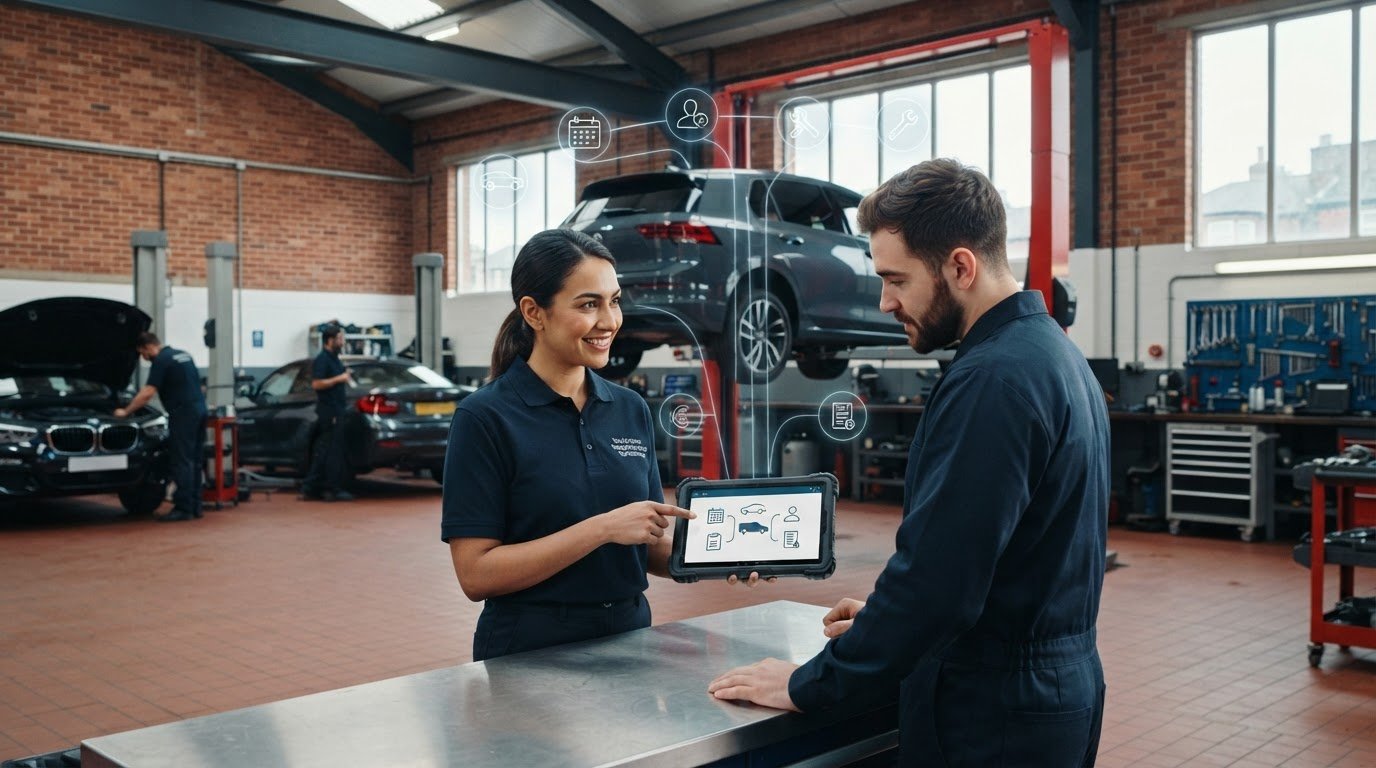
What if the best first step in garage admin automation isn’t automating everything, but fixing one repeatable hand-off? If you enter the same customer or vehicle details more than once, or stop a workshop job to find paperwork, you already know where admin gets in the way. It’s also understandable to worry that new software will take time to learn or interrupt the work that needs doing today.
You can make a practical start without turning the workshop upside down. This guide will help you identify tasks worth streamlining, choose a sensible first step and keep people in control of workshop decisions. We’ll look at how customer and vehicle records, job sheets, estimates, invoices and reminders can fit into a clearer workflow, and how to introduce changes at a pace that suits your garage. The aim is less switching between paperwork and workshop work, one manageable improvement at a time.
Garage admin automation: where does a busy workshop lose time?
The phone rings while a customer is waiting, a booking needs updating and a technician needs information to keep a job moving. Each interruption may seem small. Together, they pull attention away from workshop work and leave details to enter or check later.
Garage admin automation means using connected tools to handle repeatable information and follow-ups, rather than asking someone to enter the same details or remember every routine step. For example, a garage management system can link diary, job and customer information, so details recorded once can be available elsewhere in the workflow. This can reduce avoidable repetition, but staff still need to check that information is correct.
Automate routine admin and information hand-offs; keep people in control of repair recommendations, safety checks and decisions that depend on judgement. Software can organise information, but it shouldn’t decide what a vehicle needs.
Which garage admin tasks are repetitive enough to automate?
Look for tasks that follow the same pattern each time. Re-entering a customer’s contact details, copying a registration number between records, updating an appointment in more than one place or prompting a routine follow-up are all candidates. These tasks rely on accurate information and consistent steps, not a technician’s assessment of a fault.
Duplicated details create rework. A registration typed incorrectly can leave a record needing correction; an appointment changed in one place but not another can cause confusion at the front desk. Connected tools can help keep information together. For instance, a registration lookup can bring vehicle and MOT data into a new job record, reducing manual entry. Start by noting which repeated hand-offs interrupt the day most often. These are stronger candidates for automation than repair advice, which depends on the vehicle, the evidence and a conversation with the customer.
Automate Garage Admin: From Enquiry to Invoice
A job moves through several hands and records before the vehicle leaves. The aim of garage admin automation is to make each hand-off clear, so useful information follows the work instead of being entered again at every stage.
Build a simple automation workflow around each job
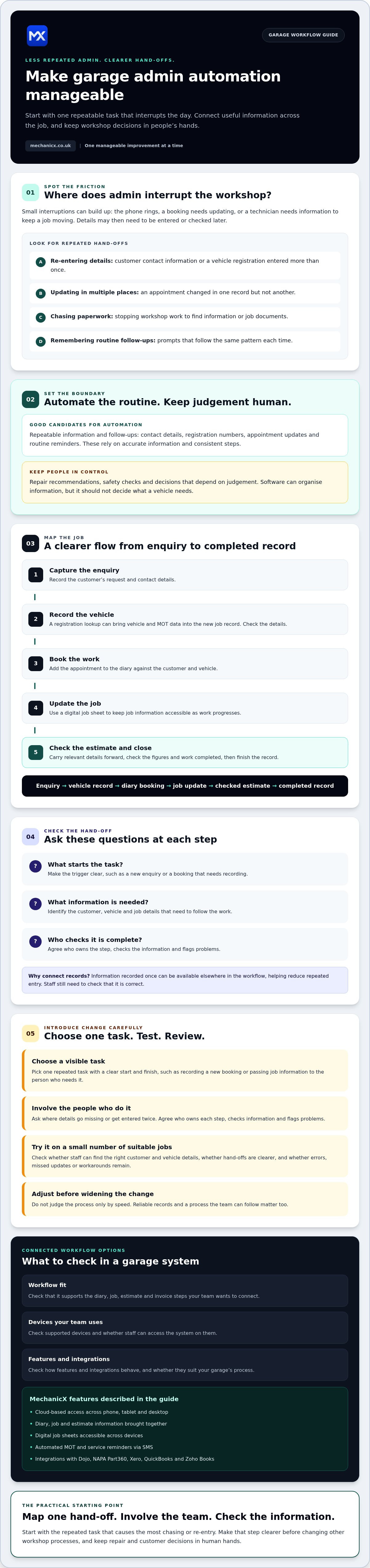
Map the job from first contact to close. At each step, ask three questions: what starts the task, what information is needed, and who checks it’s complete?
- Capture the enquiry: Record the customer’s request and contact details.
- Record the vehicle: Use a registration lookup to bring vehicle and MOT data into the new job record, then check it.
- Book the work: Add the appointment to the diary against the customer and vehicle.
- Update the job: Use a digital job sheet to keep job information accessible as work progresses.
- Prepare the estimate and close: Carry relevant details forward, check the figures and work completed, then finish the record.
Enquiry → vehicle record → diary booking → job update → checked estimate → completed record. This is a straightforward workflow to map before choosing what to automate.
Shared records can reduce retyping across appointments and job paperwork, but staff still need to check details and approve decisions. Start with the hand-off that causes the most chasing or repeated entry, rather than changing every process at once. For focused guidance, see garage job card templates and car mechanic invoicing software.
A connected garage system can bring diary, job, estimate and invoice information together. When comparing options, check whether the system supports the steps your team wants to connect and whether staff can access it on the devices they use. Explore MechanicX garage management software as one option.
How to introduce garage admin automation without disrupting the team
A change that looks tidy on paper can become another interruption if it doesn’t fit the way the workshop works. Keep the first step small. Choose one repeated task, write down how it’s handled now, then test a simpler process before changing anything else.
Choose a first task, test it and review the result
Pick a visible task with a clear start and finish, such as recording a new booking or passing job information to the person who needs it. Ask the staff who do the task where details go missing or get entered twice. Agree who owns each step, who checks the information and who flags problems. Their input helps make the revised process workable, not just technically possible.
Try the new approach on a small number of suitable jobs. Then review the results: can staff find the right customer and vehicle details? Are hand-offs clearer? Were there errors, missed updates or steps that still needed a workaround? If something doesn’t work, adjust the process before widening the change. Don’t judge it only by speed. Reliable records and a process the team can follow matter too.
For garage admin automation, connected tools can bring diary, job and estimate information together. MechanicX is one option, with a cloud-based system that links these workflows and digital job sheets accessible across phone, tablet and desktop. Before adopting any system, check that its features, integrations and supported devices suit your team. If a connected workflow looks like a fit, explore MechanicX garage management software as a possible next step.
Make your next admin step a manageable one
Effective garage admin automation starts with the repeatable tasks that interrupt the day, not a wholesale change to every workshop process. Map one hand-off, involve the people who handle it and check whether the new approach makes information easier to find. Keep repair and customer decisions in human hands.
A connected system can help bring routine admin into a clearer flow. MechanicX offers cloud-based access across phone, tablet and desktop, automated MOT and service reminders via SMS, and integrations with Dojo, NAPA Part360, Xero, QuickBooks and Zoho Books. Check the features and integration behaviour to make sure they suit your garage’s workflow.
Ready to explore a connected approach? See how MechanicX brings garage admin into one place. Start with one practical change, review how it works and build from there.
Frequently Asked Questions
What is garage admin automation?
Garage admin automation uses digital tools to handle repeatable tasks such as capturing job details, managing diary entries and sending reminders. It supports staff rather than replacing their judgement. For example, a registration lookup can bring vehicle information into a new job record, which staff can then check. Automation can organise routine steps, but repair recommendations and safety decisions still need people.
Which garage admin tasks should I automate first?
Start with a frequent, clearly defined task that causes repeated data entry or missed follow-ups. Before choosing a tool, map what triggers the task, what information it needs and who’s responsible for checking it’s complete. The best starting point depends on your garage’s current workflow. A process that creates daily interruptions may be a better first choice than a task that rarely causes difficulty.
Can garage admin automation work for a small independent garage?
Yes. A small team can begin with one workflow and expand only when it works reliably. Connected diary, job and customer records may reduce repeated handling, but first check that staff can access the system on the devices they use and that it fits existing processes. Involve the people who’ll use it, test the change and adjust any steps that cause confusion.
Frequently Asked Questions
Which garage admin tasks are repetitive enough to automate?
Look for tasks that follow the same pattern each time. Re-entering a customer’s contact details, copying a registration number between records, updating an appointment in more than one place or prompting a routine follow-up are all candidates. These tasks rely on accurate information and consistent steps, not a technician’s assessment of a fault. Duplicated details create rework. A registration typed incorrectly can leave a record needing correction; an appointment changed in one place but not another can cause confusion at the front desk. Connected tools can help keep information together. For instance, a registration lookup can bring vehicle and MOT data into a new job record, reducing manual entry. Start by noting which repeated hand-offs interrupt the day most often. These are stronger candidates for automation than repair advice, which depends on the vehicle, the evidence and a conversation with the customer. A job moves through several hands and records before the vehicle leaves. The aim of garage admin automation is to make each hand-off clear, so useful information follows the work instead of being entered again at every stage.
What is garage admin automation?
Garage admin automation uses digital tools to handle repeatable tasks such as capturing job details, managing diary entries and sending reminders. It supports staff rather than replacing their judgement. For example, a registration lookup can bring vehicle information into a new job record, which staff can then check. Automation can organise routine steps, but repair recommendations and safety decisions still need people.
Which garage admin tasks should I automate first?
Start with a frequent, clearly defined task that causes repeated data entry or missed follow-ups. Before choosing a tool, map what triggers the task, what information it needs and who’s responsible for checking it’s complete. The best starting point depends on your garage’s current workflow. A process that creates daily interruptions may be a better first choice than a task that rarely causes difficulty.
Can garage admin automation work for a small independent garage?
Yes. A small team can begin with one workflow and expand only when it works reliably. Connected diary, job and customer records may reduce repeated handling, but first check that staff can access the system on the devices they use and that it fits existing processes. Involve the people who’ll use it, test the change and adjust any steps that cause confusion.
More articles


Try MechanicX free for 30 days
No card required. Set up in an afternoon and book tomorrow's jobs into it — that's the real test.