Garage Software with Xero Integration: Choosing the Best System for Your UK Workshop in 2026
25 September 2026 · 8 min read
Written by Daniel Staples — Director, MechanicX. Workshop operator and developer of MechanicX garage management software.
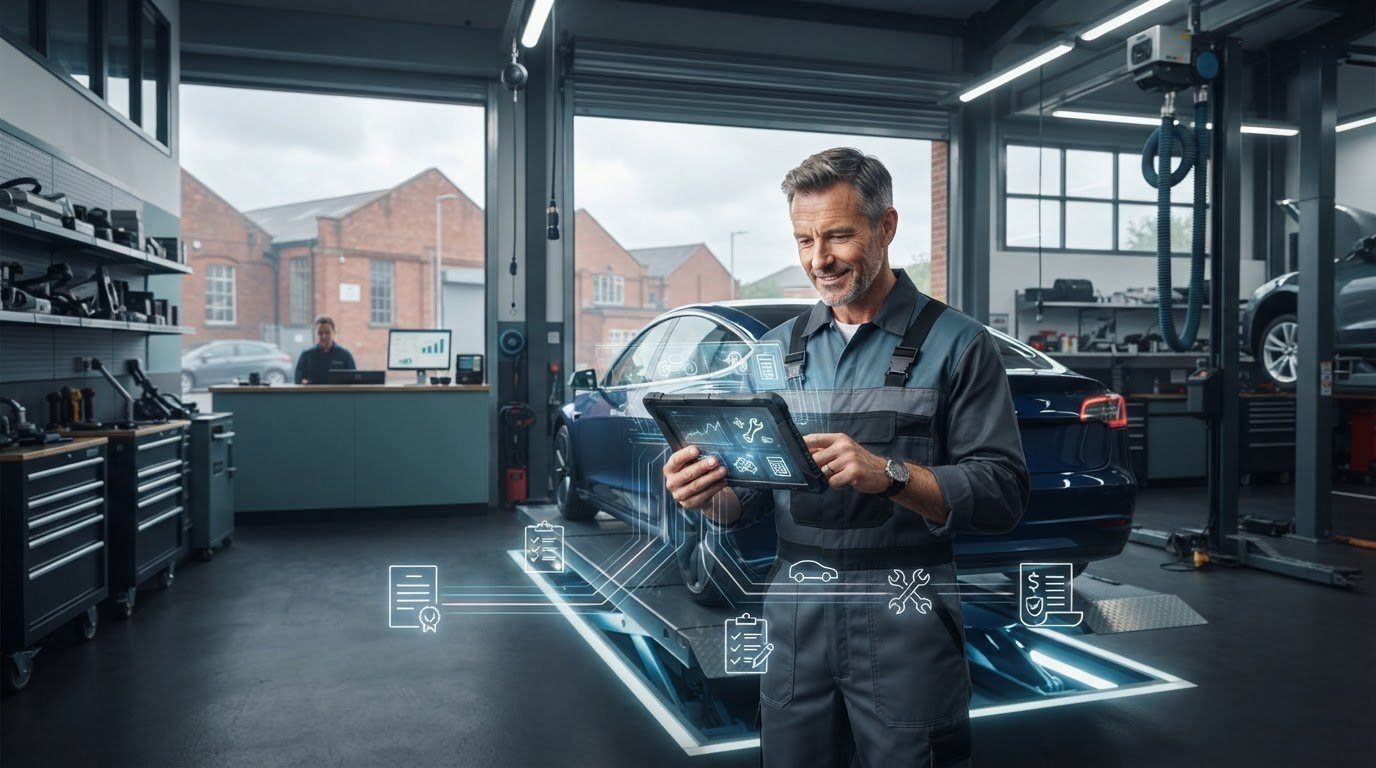
What if your Xero connection worked quietly in the background instead of giving you another job at the end of the day? If you’re re-entering invoices, resolving mismatches between workshop jobs and accounts, or concerned about record-keeping errors, it’s worth looking closely at what garage software with xero integration actually does.
A useful system should connect workshop activity with your accounting workflow and make it straightforward to prepare professional invoices. Before choosing one, check what information transfers to Xero, when it transfers and what still needs to be entered or checked manually. Keeping records organised matters, especially as you consider Making Tax Digital requirements that apply to your business.
This guide covers practical comparison points, including invoice and payment workflows, MOT lookups and digital job cards. You’ll also see how MechanicX connects workshop tasks with Xero, and what to ask before switching systems.
Why Your Garage Management System and Xero Must Work in Harmony
A workshop job doesn’t end at the spanner rack. Parts used, labour completed and the final invoice all need to be reflected in your accounts. If the link between your garage system and Xero is unclear or depends on manual entry, a part may be missed, labour may be recorded incorrectly, or the accounts may not match the work completed. Garage software with xero integration should connect the job record to your accounting process, rather than leave you to bridge the gap by hand.
For UK workshops, accurate digital records also matter for tax administration. From April 2026, Making Tax Digital for Income Tax applies to self-employed people and landlords with qualifying gross income over £50,000. An accounting connection can reduce duplicate entry, but it doesn’t replace checking that your records and software meet the requirements that apply to you.
There’s a practical benefit, too: closing the diary without a stack of invoices still waiting to be entered. When workshop and accounting records line up, you can get a clearer view of what’s been billed and paid. MechanicX links digital job cards with Xero, helping connect the workshop workflow with your books.
The Real Cost of Manual Data Entry and Admin Drag
Admin drag is time spent transferring information between the workshop and the office instead of getting on with work that moves the business forward.
Re-entering registration numbers, customer details, parts and labour takes time, particularly when the source is a handwritten note or job card. A mistyped digit or name can make an invoice harder to match or leave a cost out of the records. See why a static garage job card template can create avoidable friction.
That admin competes with time for productive repairs. Digital job sheets and a connected Xero workflow can reduce repeat entry. When comparing systems, check which job details carry through to the invoice and which still need to be added manually.
What to Compare in Garage Software with Xero Integration
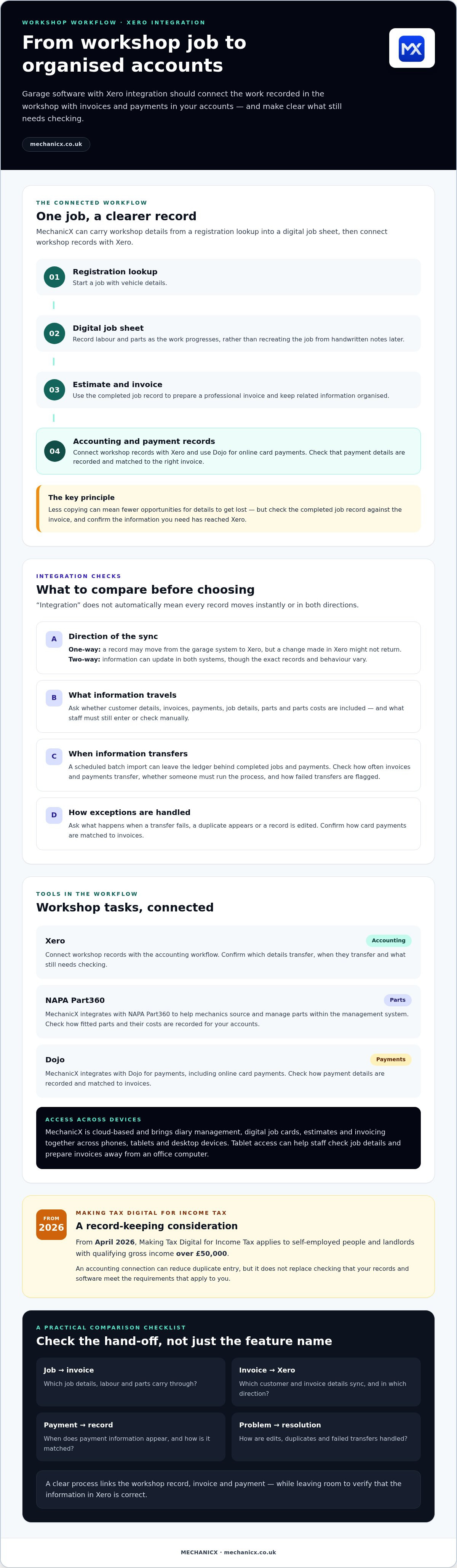
A useful connection does more than move an invoice into Xero. Check what information travels, in which direction and when. With one-way syncing, a record may move from the garage system to Xero, while changes made in Xero might not return. Two-way syncing can update information in both systems, but the exact records and behaviour vary. Ask which customer, invoice and payment details sync, how edits are handled, and what happens if a duplicate or failed transfer occurs.
Parts data matters, too. If a part is fitted to a job, check how the system records it and whether its cost is included in the information available for your accounts. MechanicX integrates with NAPA Part360 to help mechanics source and manage parts within the management system. Also consider whether staff can access job details on a workshop tablet and prepare an invoice near the vehicle. Ask how the system works when a technician updates a job away from an office computer.
Evaluating Real-Time Data Flow Versus Batch Imports
Batch imports mean waiting for a scheduled export or for someone to run one. If data is sent to Xero only at the end of the week, the ledger may lag behind completed jobs and payments. Ask providers how often invoices and payments transfer, whether the process needs a manual step, and how failed transfers are flagged. Don’t assume “integration” means instant.
MechanicX integrates with Dojo for payments and with Xero for accounting. When comparing payment workflows, ask how a card payment is recorded, when the related information appears in Xero, and how you can check that it has been matched to the right invoice. Read more about Dojo payment integration for garages. For an example of cloud-based software connecting workshop tasks with accounting tools, explore MechanicX garage software.
MechanicX Connects Workshop Tasks with Xero
MechanicX is cloud-based garage management software for UK independent workshops and mobile mechanics. Its workflow can start with a registration lookup, then carry job details into a digital job sheet and connect workshop records with Xero. The platform also integrates with NAPA Part360 for parts and Dojo for payments, bringing these tools into the workshop management process.
That’s the point of garage software with xero integration: workshop information and accounting shouldn’t feel like separate jobs. MechanicX brings diary management, digital job cards, estimates and invoicing together in a cloud-based system accessible across phones, tablets and desktop devices. For more context on the working environment it serves, read this guide to garage management.
Streamlining Your Workflow with Digital Job Cards and Dojo
With digital job sheets, staff can record labour and parts as work progresses instead of relying on handwritten notes to recreate the job later. That gives you a clearer record to use when preparing an invoice and keeping related information organised for Xero. MechanicX’s Dojo integration supports online card payments. Before relying on any payment workflow, check how payment details are recorded and matched to invoices.
Automated MOT and service reminders can help you follow up with customers about future work. They don’t guarantee a particular income, but they can make upcoming follow-ups easier to manage. For mobile mechanics, cloud access and a tablet-based workflow can make it easier to check job details and prepare an invoice away from a desk. Explore this guide to mobile mechanic business software for practical considerations.
Less copying means fewer opportunities for details to get lost between the job and the invoice. Check the completed job record against the invoice and confirm that the information you need has reached Xero. A clear process helps you close the day with a better view of jobs and payments.
Choose Software That Fits Your Workshop Workflow
The right garage software with xero integration should connect work recorded in the workshop with invoices and payments in your accounts. Compare how each system handles job details, parts and payments. Confirm whether information syncs automatically or requires a manual step, and how you’ll identify errors or duplicates. A practical system should fit your day-to-day workflow, not create another one.
MechanicX brings digital job sheets, Xero integration and Dojo payment integration together in a cloud-based system for UK independents. Before choosing, confirm how the Xero connection works, which records transfer and whether the contract terms offer the flexibility your workshop needs. The aim is to spend less time re-entering details and have a clearer view of your records.
Frequently Asked Questions
Does garage software with Xero integration handle VAT for MOTs correctly?
Not automatically in every case. VAT treatment depends on the transaction and how the software is configured. Check that you can apply the appropriate VAT codes to invoice lines and that those codes transfer correctly to Xero. Test a sample invoice, including MOT-related charges, before relying on the workflow. If you’re unsure which treatment applies, confirm it with your accountant.
Can I sync my existing Xero customer list into MechanicX?
MechanicX integrates with Xero, but confirm the available customer import and sync options before you switch. Ask whether existing contacts can be brought into MechanicX, whether changes sync both ways, and how duplicate customer records are handled. Checking this before setup can help you plan how staff should update records.
Will the software work on my tablet while I am in the workshop?
MechanicX is cloud-based, and its diary, estimates, invoicing and digital job sheets are accessible across tablets, phones and desktop devices. That means you can check a job or record details on a tablet near the vehicle instead of returning to an office computer. Ask the provider to confirm that your tablet and browser are compatible before getting started.
How does Xero integration help with Making Tax Digital (MTD) requirements?
Xero integration can reduce repeated data entry by transferring relevant financial information from your garage system into your accounting records. That can help keep records organised, but integration alone doesn’t make your business MTD-compliant or determine which requirements apply to you. Check that your accounting setup suits your circumstances, review what data syncs, and confirm any tax questions with your accountant.
See how MechanicX organises your workshop and Xero accounts in one place, and explore whether its garage management software fits your workflow.
Frequently Asked Questions
Does garage software with Xero integration handle VAT for MOTs correctly?
Not automatically in every case. VAT treatment depends on the transaction and how the software is configured. Check that you can apply the appropriate VAT codes to invoice lines and that those codes transfer correctly to Xero. Test a sample invoice, including MOT-related charges, before relying on the workflow. If you’re unsure which treatment applies, confirm it with your accountant.
Can I sync my existing Xero customer list into MechanicX?
MechanicX integrates with Xero, but confirm the available customer import and sync options before you switch. Ask whether existing contacts can be brought into MechanicX, whether changes sync both ways, and how duplicate customer records are handled. Checking this before setup can help you plan how staff should update records.
Will the software work on my tablet while I am in the workshop?
MechanicX is cloud-based, and its diary, estimates, invoicing and digital job sheets are accessible across tablets, phones and desktop devices. That means you can check a job or record details on a tablet near the vehicle instead of returning to an office computer. Ask the provider to confirm that your tablet and browser are compatible before getting started.
How does Xero integration help with Making Tax Digital (MTD) requirements?
Xero integration can reduce repeated data entry by transferring relevant financial information from your garage system into your accounting records. That can help keep records organised, but integration alone doesn’t make your business MTD-compliant or determine which requirements apply to you. Check that your accounting setup suits your circumstances, review what data syncs, and confirm any tax questions with your accountant. See how MechanicX organises your workshop and Xero accounts in one place, and explore whether its garage management software fits your workflow.
More articles

Try MechanicX free for 30 days
No card required. Set up in an afternoon and book tomorrow's jobs into it — that's the real test.